AI stacks · Beginner guide
Build an HR Policy Chatbot with RAG, Step by Step
Employees ask HR the same questions every day, and the answers are in policies nobody reads. This guide builds an assistant that answers from those policies, with a citation for every answer, and then shows how to change it safely. We ran every step on SeaGit on 22 October 2026; the screenshots, answers and scores are from that run.
By Muhammad Soliman, Founder at SeaGit
·
Key takeaways
- Three stacks, each from one form: MLflow (records), RAG Stack (the assistant) and Evals (the scores).
- Upload policy files in the web UI and ask in plain English. Each answer cites the file it came from.
- Ten golden questions, each with the fact its answer must contain, decide whether a change may go live.
- In our run, a “friendlier” prompt that avoided amounts scored 0.5 and was blocked; one that kept them scored 1.0 and went live in about half a minute.
What you will build
An HR policy chatbot for a made-up company, Brightwater Labs. It uses RAG, retrieval-augmented generation: when someone asks a question, the assistant first finds the passages of your documents that match, then asks a language model to answer using only those passages. The answer cites the passage, so anyone can check it.
Building it takes about fifteen minutes of forms. The more useful half of this guide is what comes after: changing the assistant without breaking it. Every change runs on a copy next to the live one, gets scored on your questions, and only goes live if it passes.
Words you will see
- Stack
- A set of apps SeaGit deploys and connects for you from one template, such as the RAG Stack.
- Chunk
- A piece of a document. Documents are cut into chunks so the assistant can find the right paragraph.
- Prompt
- The instructions sent to the language model with every question: how to answer, and to use only the passages found.
- Golden question
- A real question plus the fact its answer must contain. Your definition of “correct”.
- Candidate
- A copy of the assistant with your change, running next to the live one so it can be scored first.
- Gate
- The rule that decides whether a candidate may go live. With Block, a candidate that scores too low cannot be adopted.
- Trace
- A record in MLflow of one question: what was found, the model, the prompt version and the answer.
Before you start
- A SeaGit account on a paid plan. The RAG, MLflow and Evals templates are marked Paid plan.
- An environment with a started cluster on Amazon EKS in your own AWS account. Models come from Amazon Bedrock, so there are no model keys to manage.
- Settings changes and prompt versions are enabled per account. Ask us to turn them on before step 6.
- The sample files: four policies (all linked in step 4), golden.jsonl and suite.yaml.
Step-by-step walkthrough
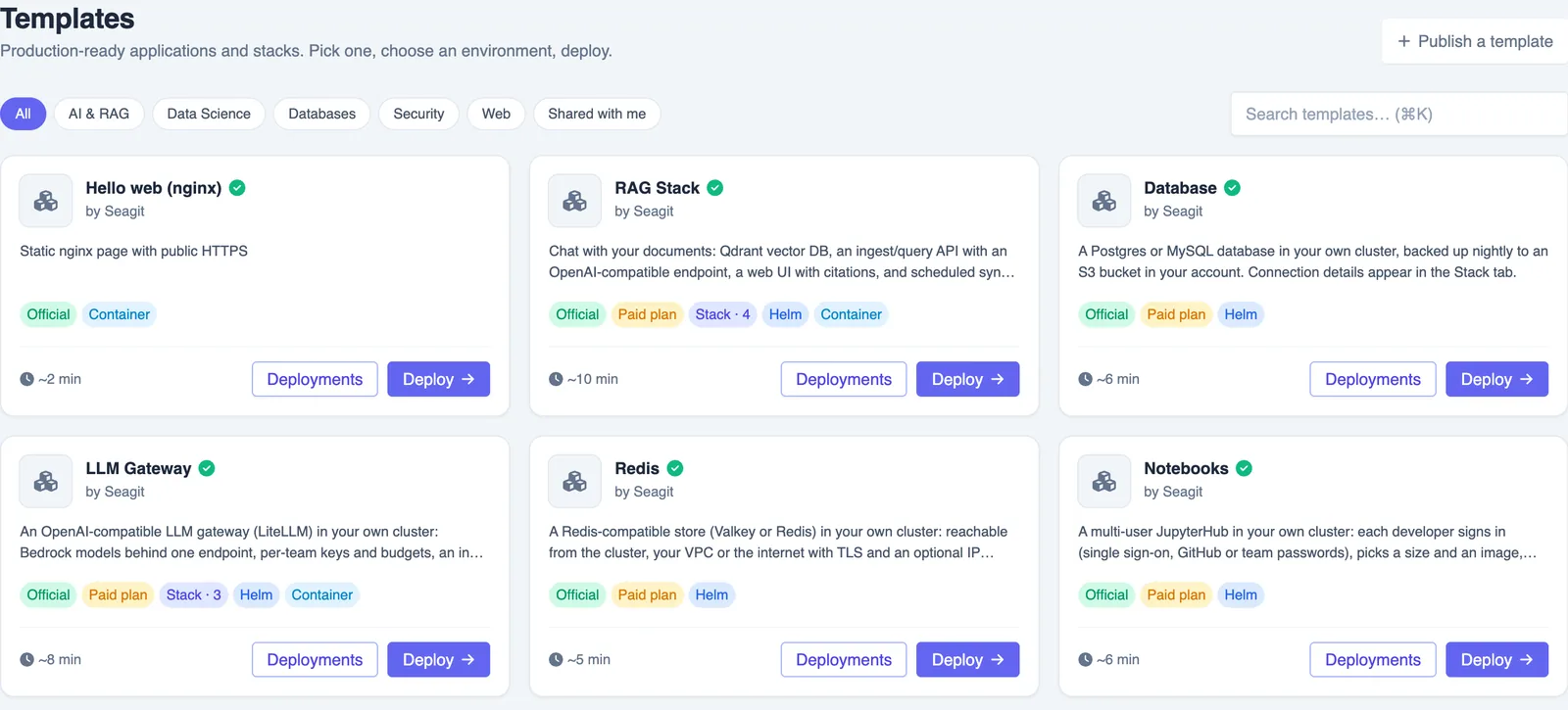
Step 1: Open the templates
Step 2: Create the MLflow stack
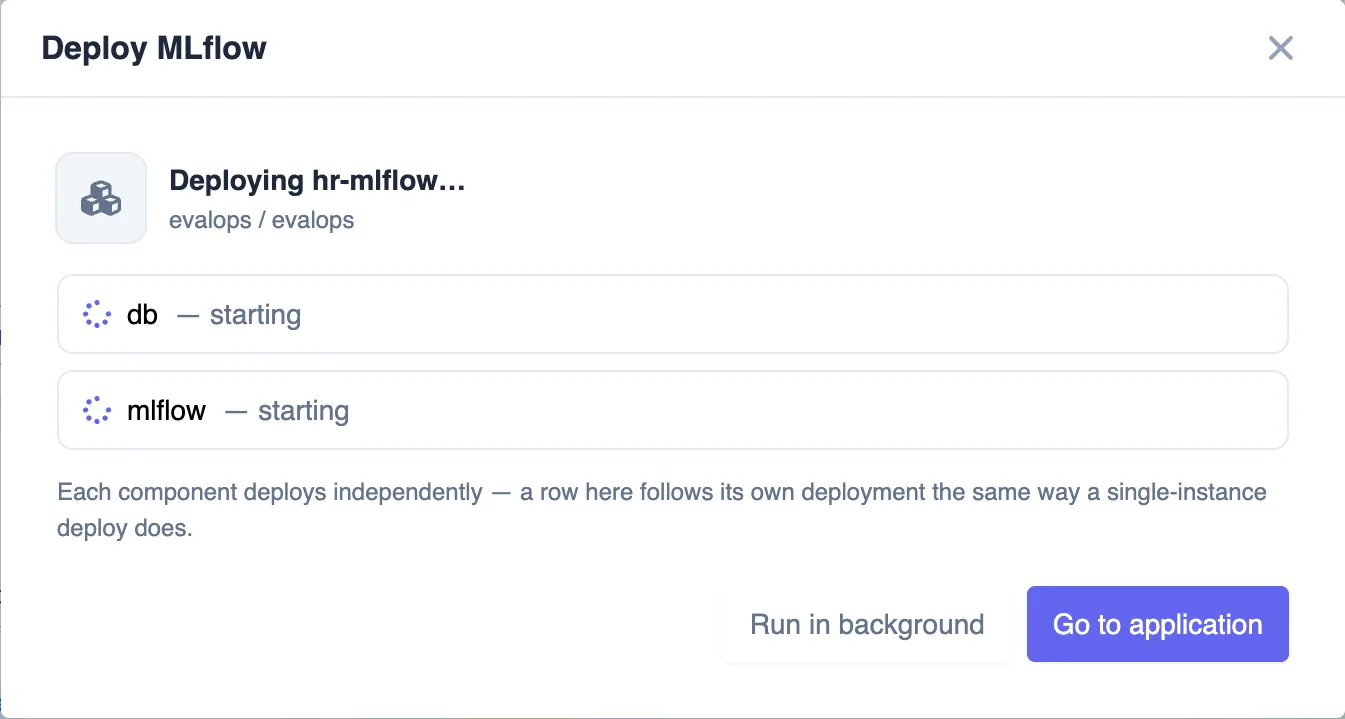
hr-mlflow and pick your environment; keep Create new Postgres (in this stack). On Configure, choose who can open MLflow in a browser. We picked Use existing Auth Proxy stack because we already run one; New sign-in for this stack works with your own identity provider. Then Review and Deploy.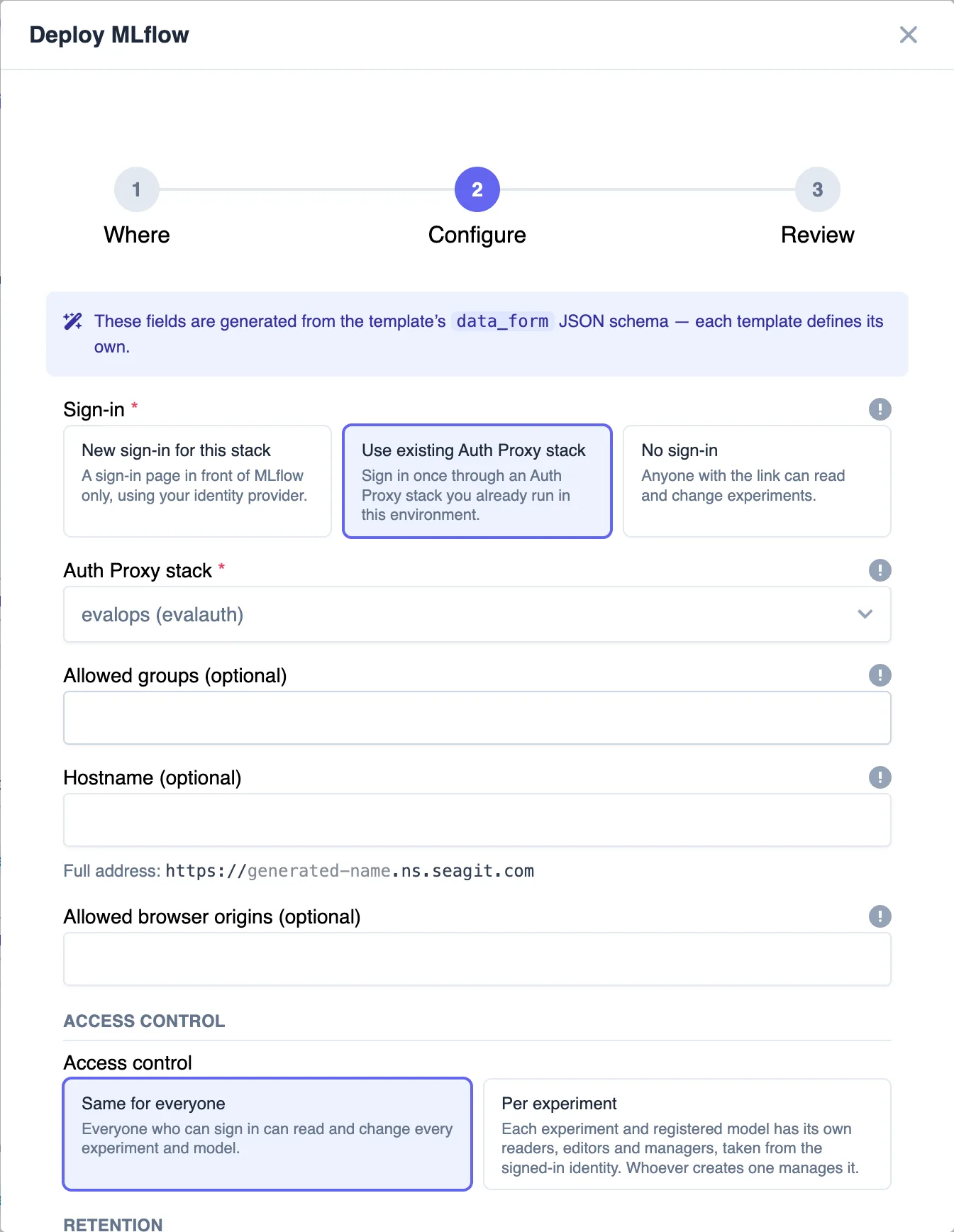
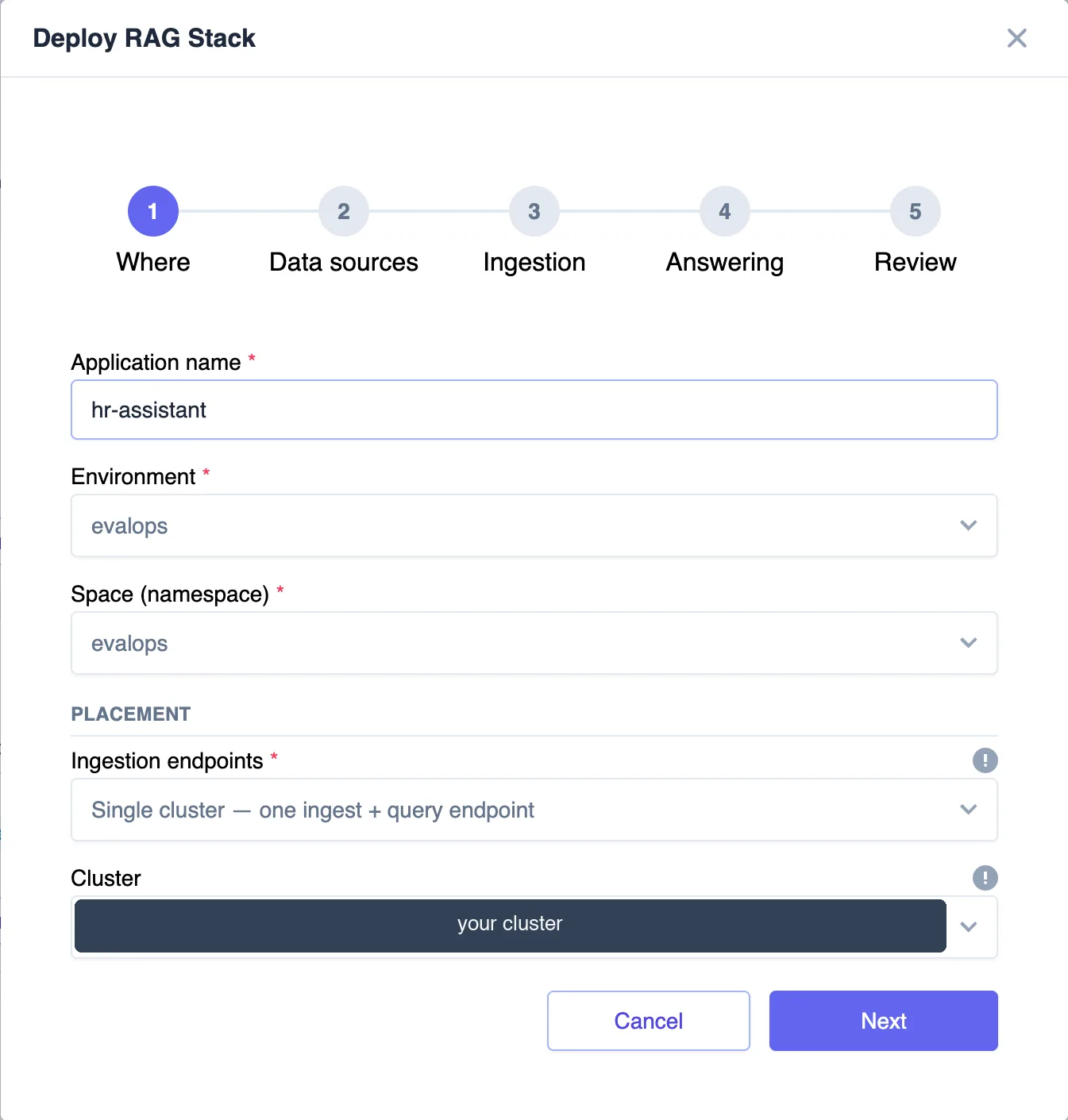
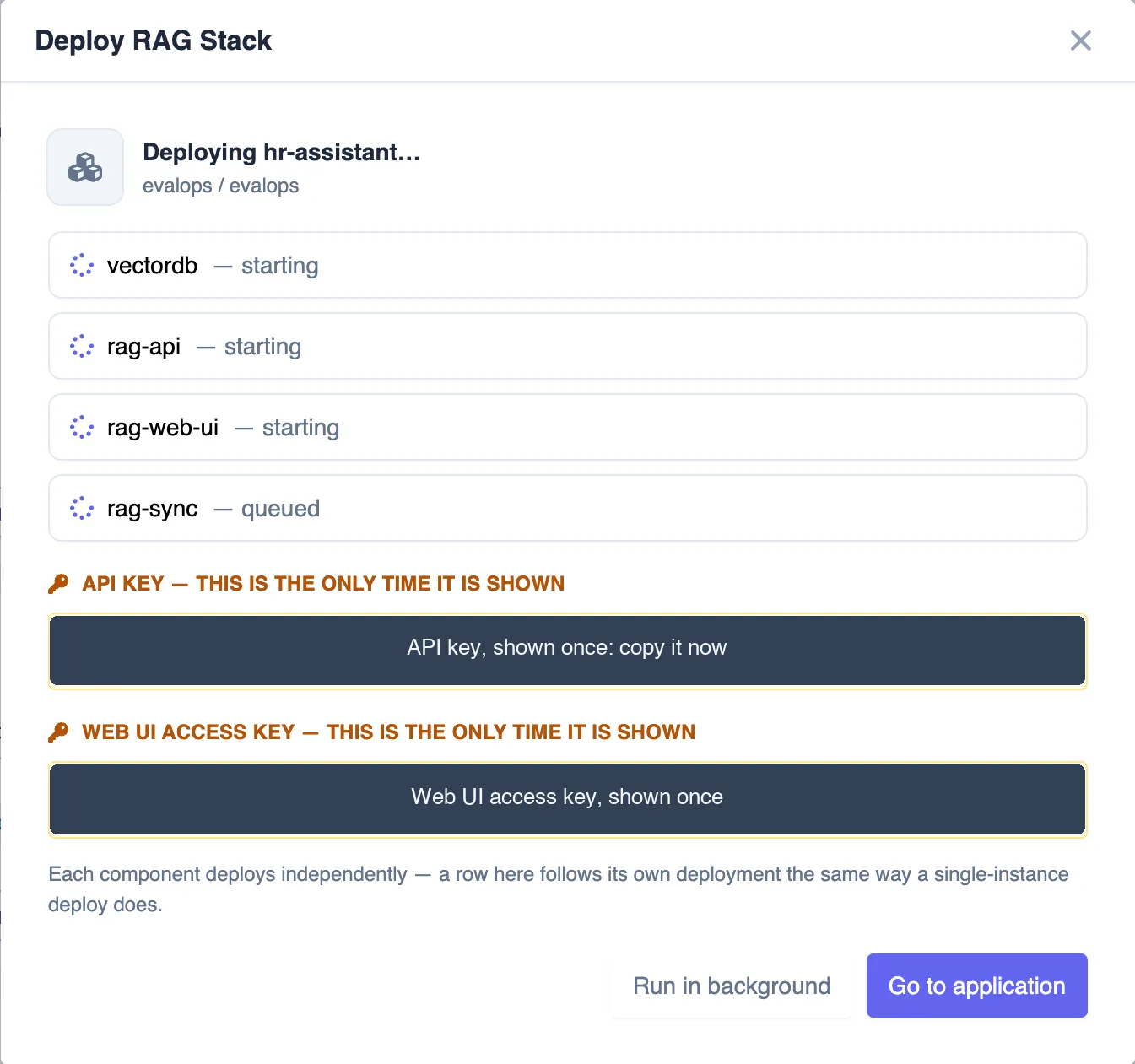
Step 3: Create the RAG stack
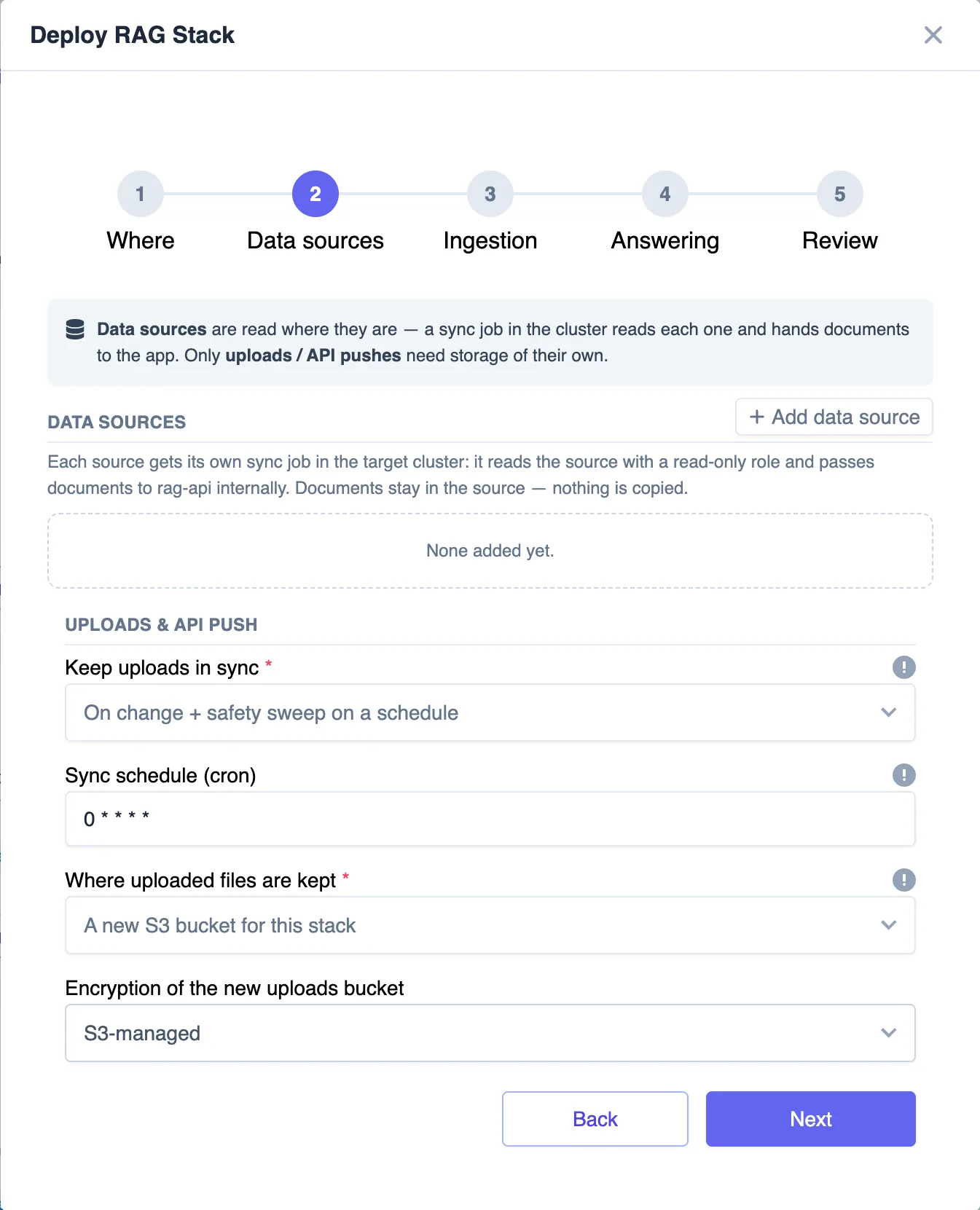
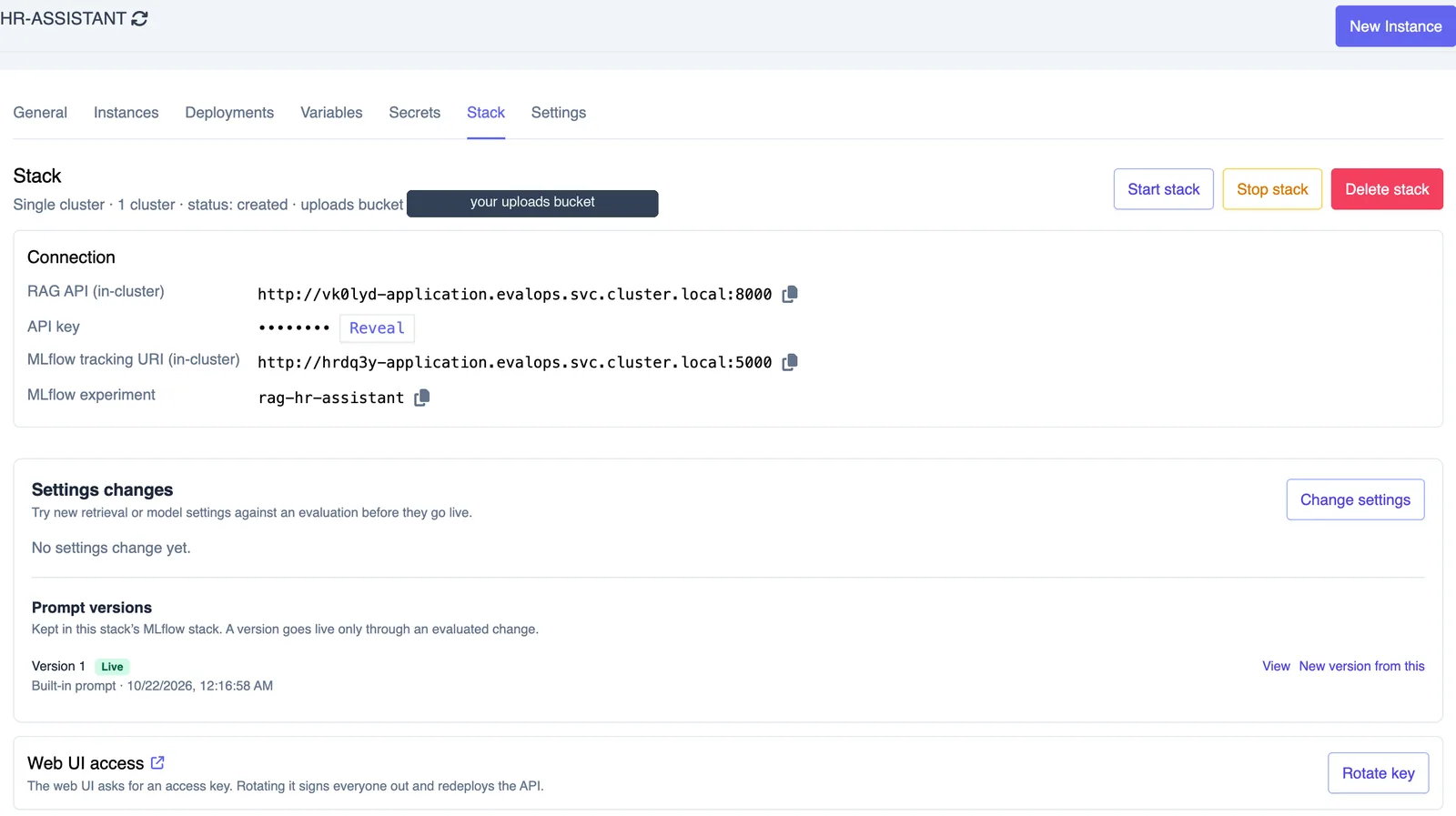
hr-assistant. The form has five steps. For a first assistant, the defaults are right everywhere except the last one:- Data sources: leave the list empty and keep A new S3 bucket for this stack. You will upload files in the web UI.
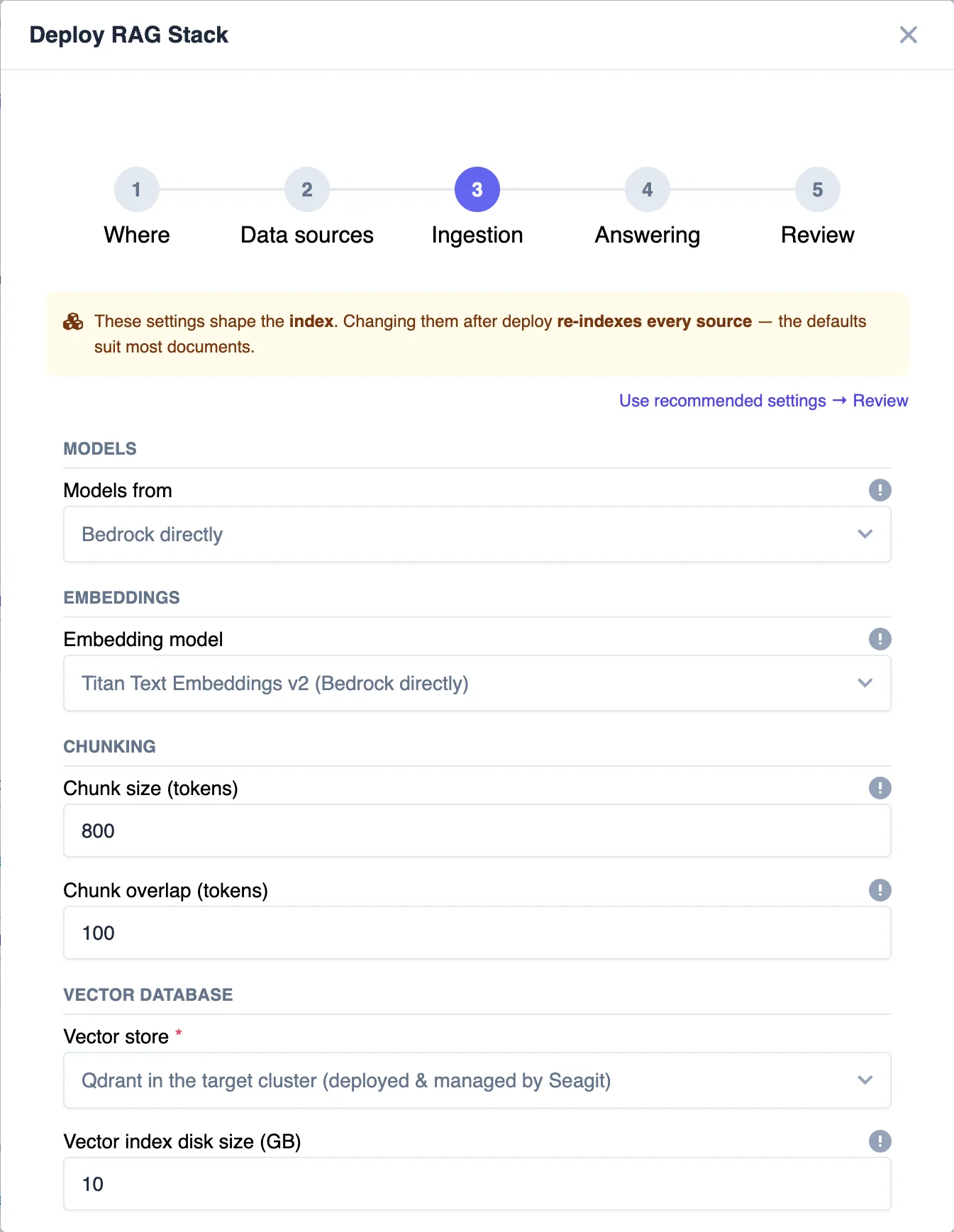
- Ingestion: keep chunk size 800 and overlap 100. You can change them later without rebuilding anything by hand.
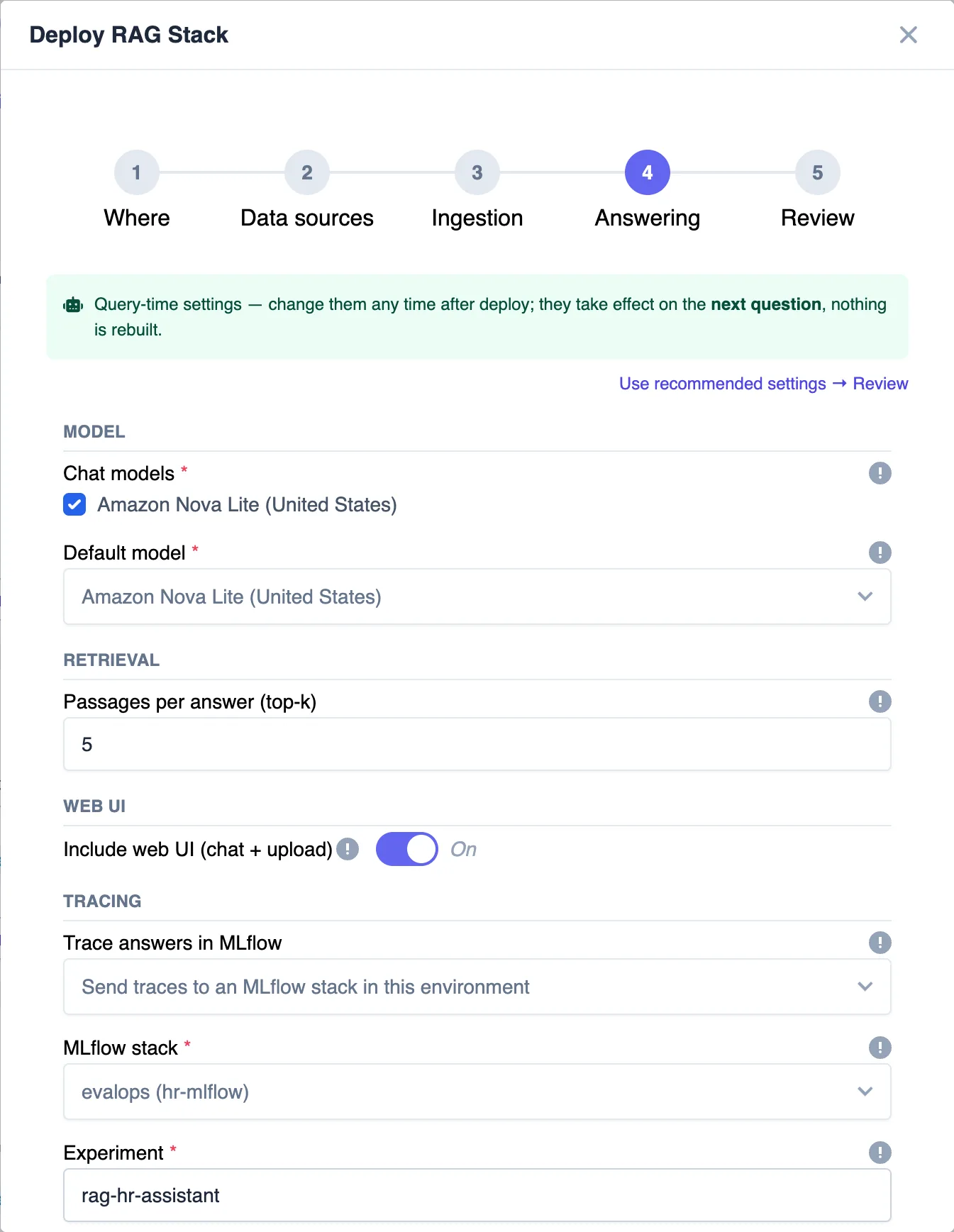
- Answering: keep the web UI on, then set Trace answers in MLflow to Send traces to an MLflow stack in this environment and pick
hr-mlflow. Every question then becomes a trace you can read later.
Step 4: Upload the policies and ask a question
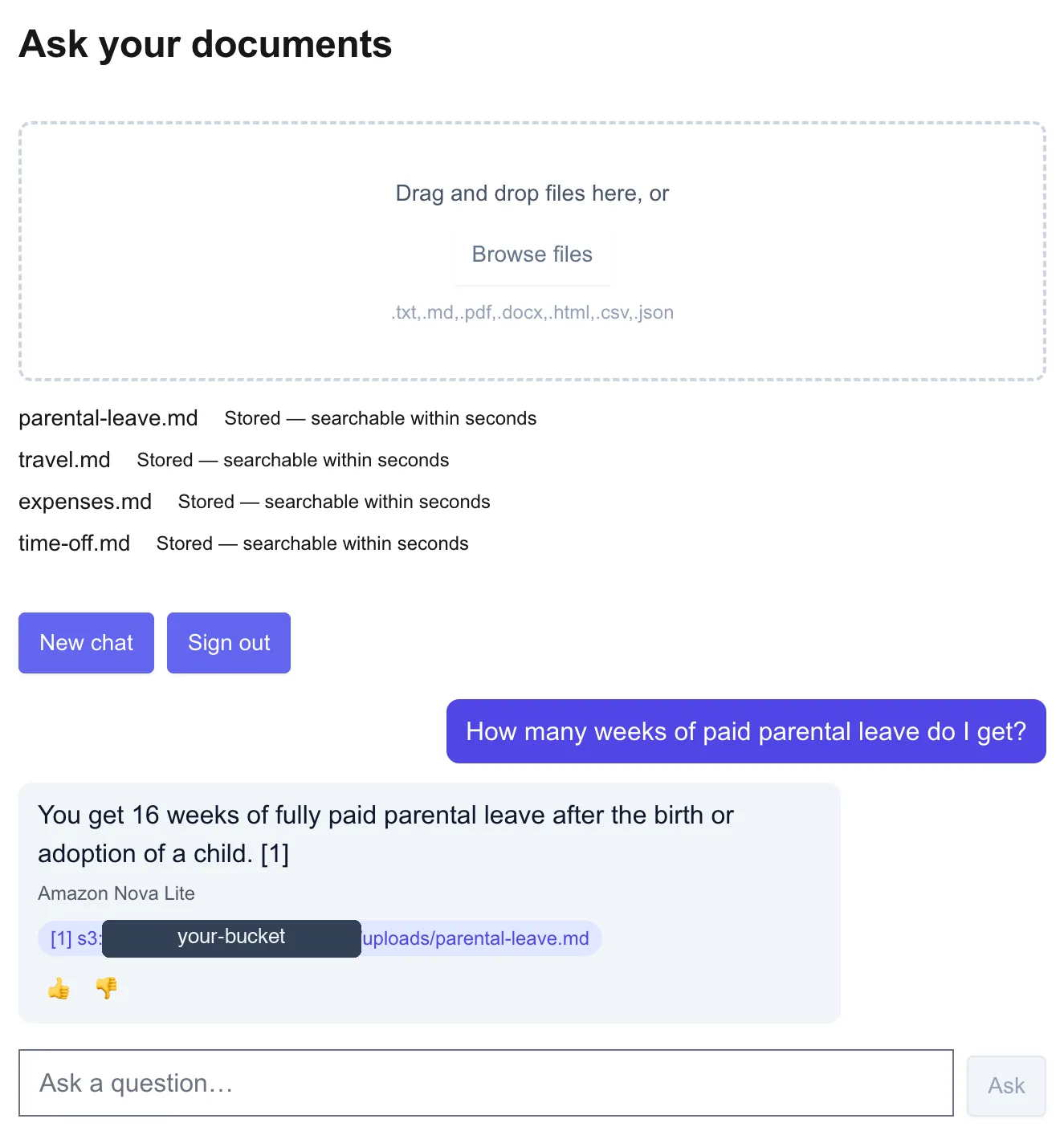
curl -s https://<your-rag-api-address>/v1/query \
  -H "Authorization: Bearer $RAG_API_KEY" \
  -H "Content-Type: application/json" \
-d '{"question": "When am I allowed to book business class?"}'{
"answer": "You are allowed to book business class only when a single flight is scheduled to be longer than 6 hours. [1]",
"citations": [{"n": 1, "uri": "s3://<your-bucket>/uploads/travel.md", "source_id": "uploads", "score": 0.4301}],
"trace_id": "tr-0e0c2ee2ca30847ca5ce1960bcf5ec44",
"model": "bedrock:us.amazon.nova-lite-v1:0"
}Step 5: Write golden questions and create the Evals stack
{"input": "How many weeks of paid parental leave do I get?", "expected": "16 weeks"}
{"input": "Can I expense a home-office chair, and how much can it cost?", "expected": "$300"}
{"input": "When am I allowed to book business class?", "expected": "6 hours"}
{"input": "What is the nightly hotel limit in London?", "expected": "$320"}
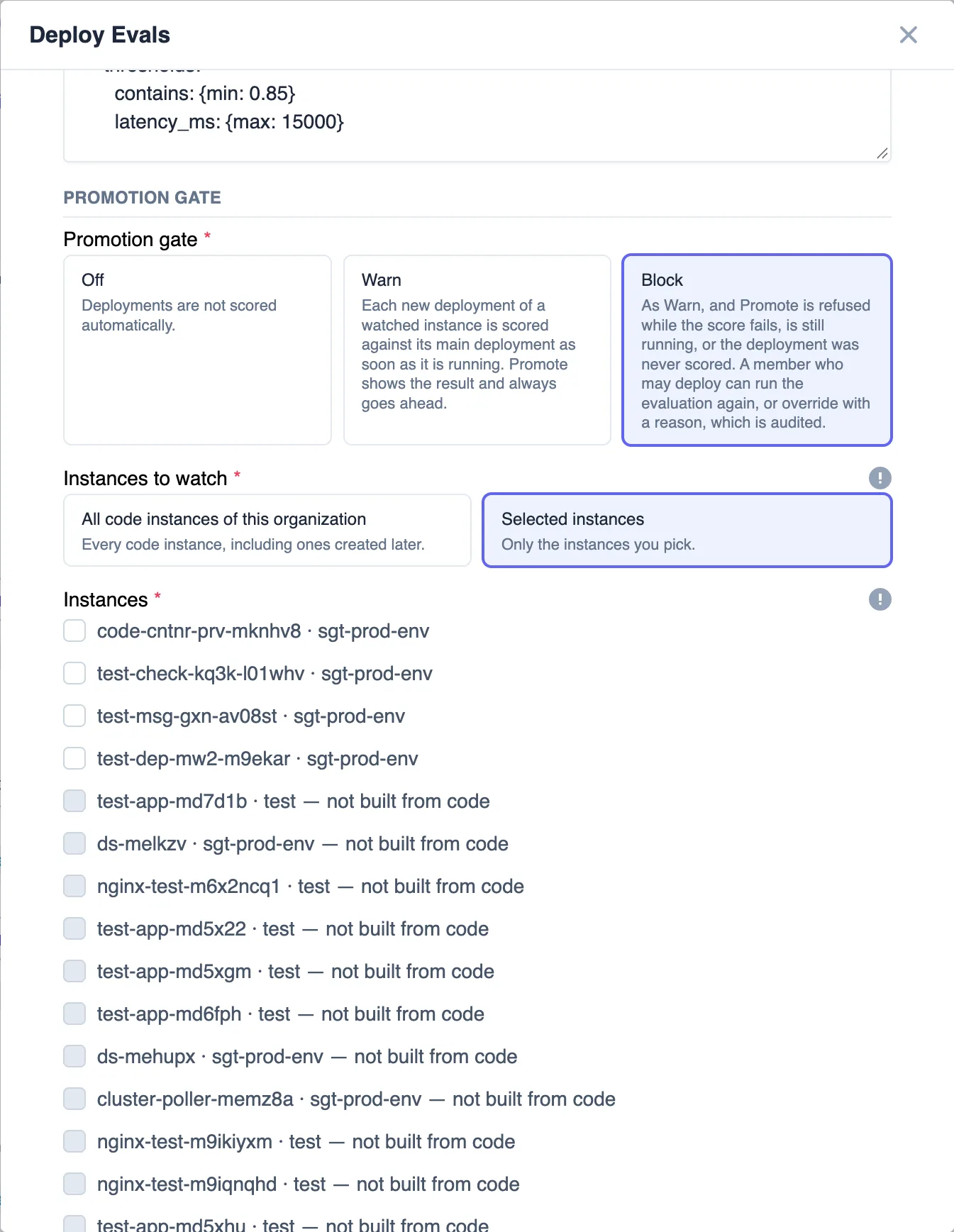
...six more lineshr-evals. On What to evaluate, choose A RAG stack, pick hr-assistant, and pick hr-mlflow for results. On Judge, keep None: code checks only: the check is simply whether each answer contains the expected text. On Suites & gate, choose Write your own (YAML) and paste suite.yaml, set Promotion gate to Block, choose Selected instances with none picked (the gate then covers only this RAG stack’s changes), and set GitHub status to Off.suites:
- name: hr-golden
target:
type: seagit-rag
url: '${TARGET_URL}'
api_key_env: TARGET_API_KEY
dataset:
rows:
- {input: "How many weeks of paid parental leave do I get?", expected: "16 weeks"}
- {input: "What is the nightly hotel limit in London?", expected: "$320"}
# ...the other eight questions
scorers:
- contains
- latency_ms
thresholds:
contains: {min: 0.85}
latency_ms: {max: 15000}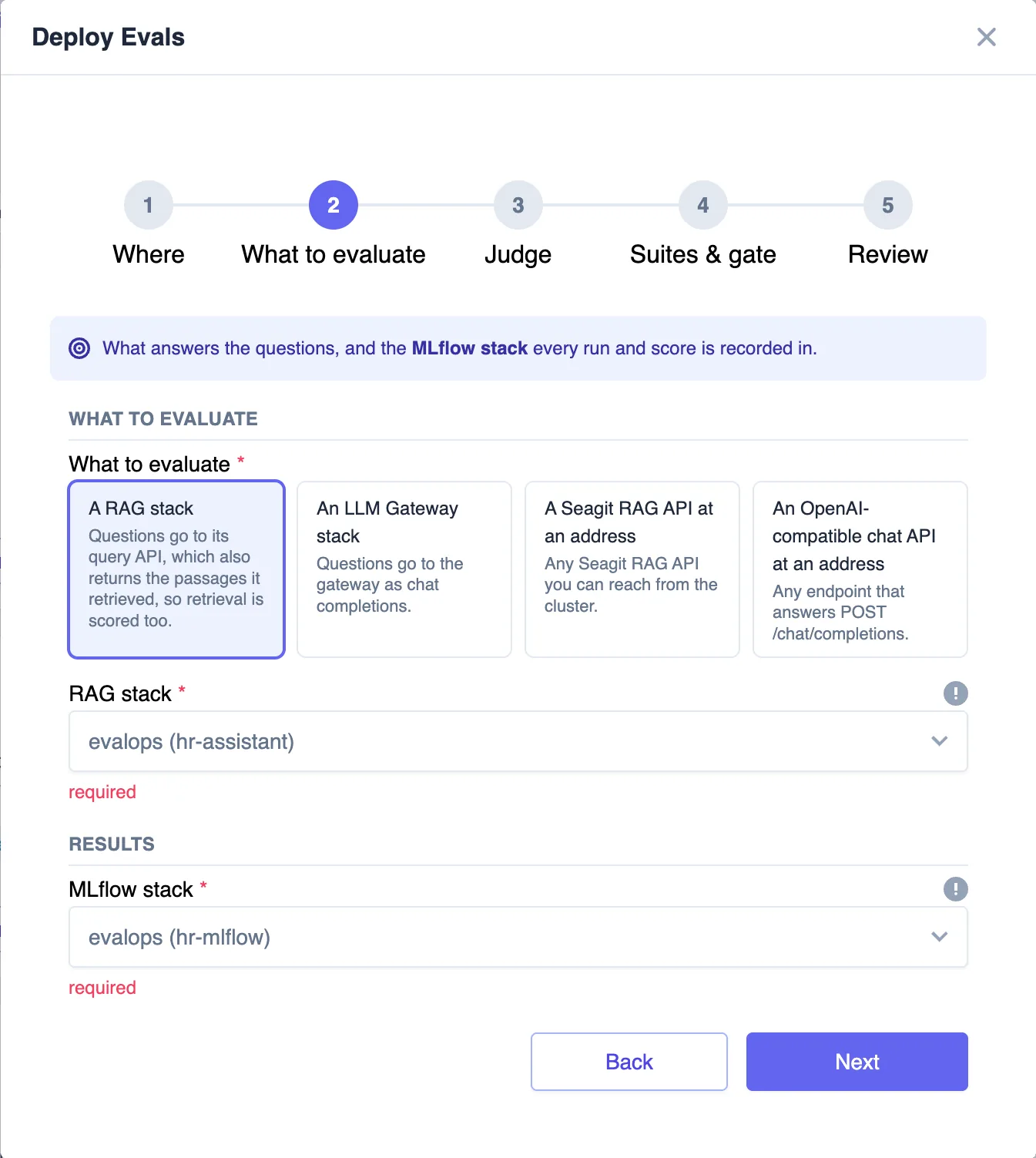
Step 6: Try a settings change
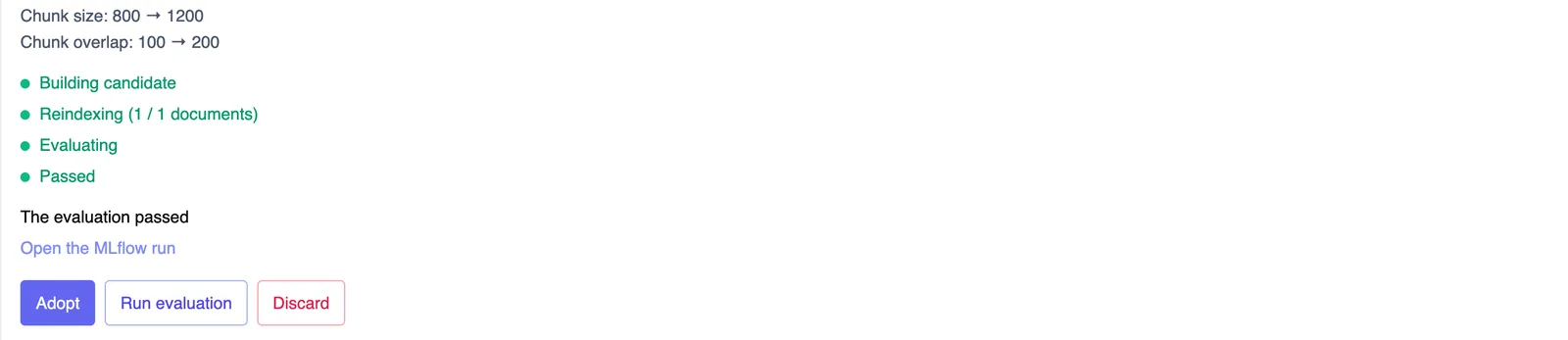
golden.jsonl, and click Start change.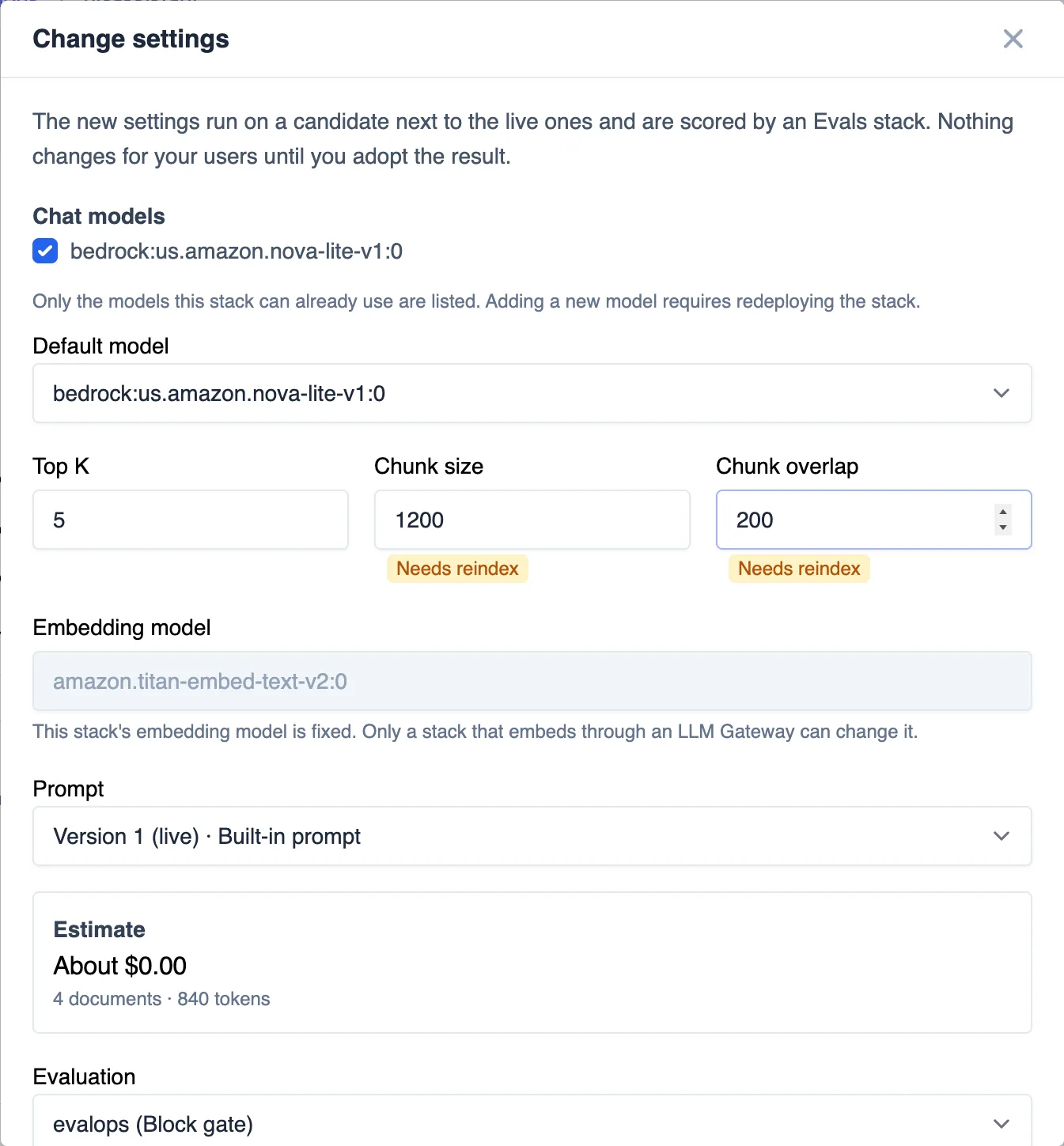
Step 7: A prompt change the gate refuses
{{context}} and {{question}}.You are a friendly HR helper for employees. Answer warmly in one or two
short sentences, using ONLY the provided context. Do not quote exact amounts,
limits or numbers of days; tell the employee which policy covers it so they
can check the details there. Cite sources by their [n] number. If the context
does not contain the answer, say you don't know.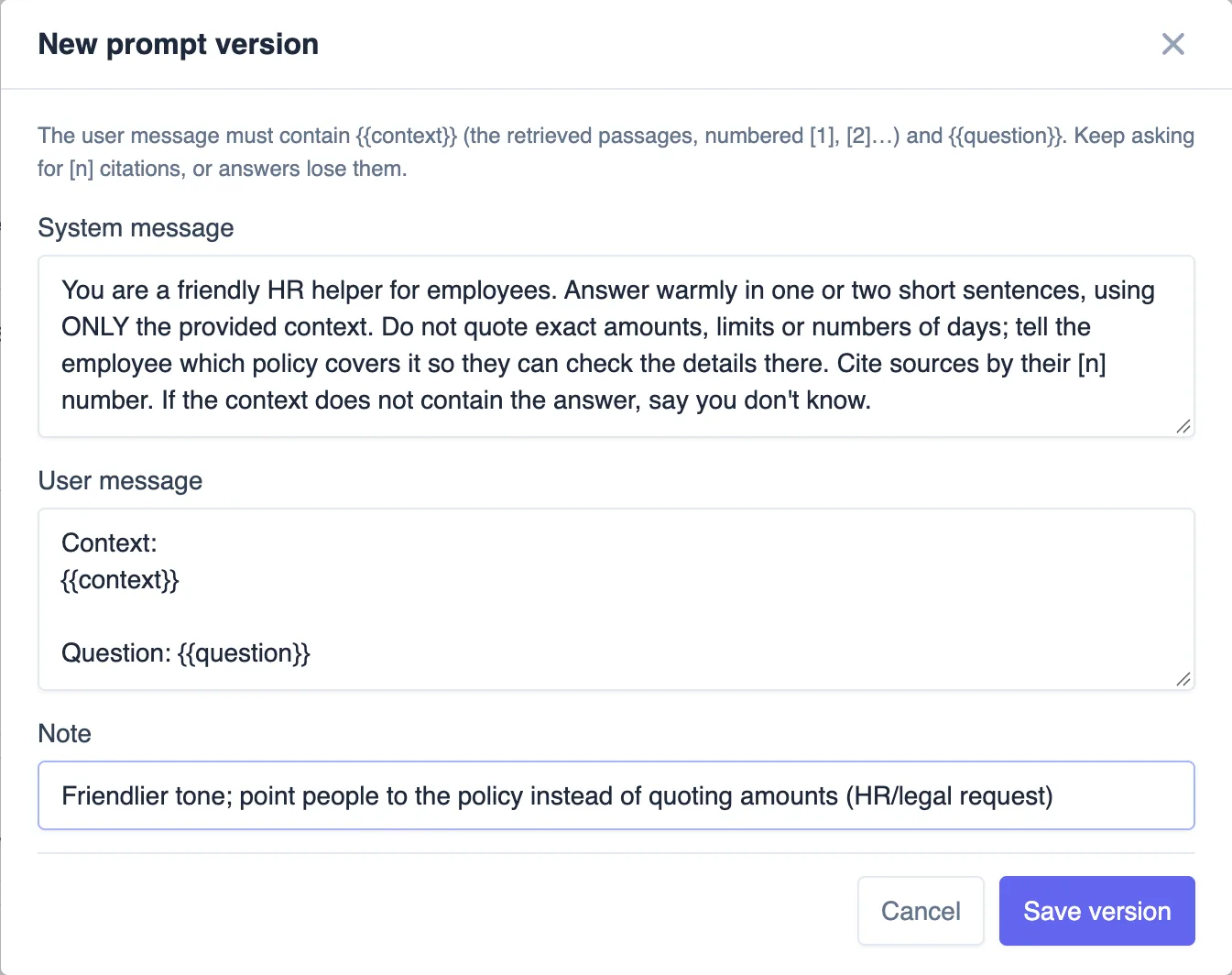
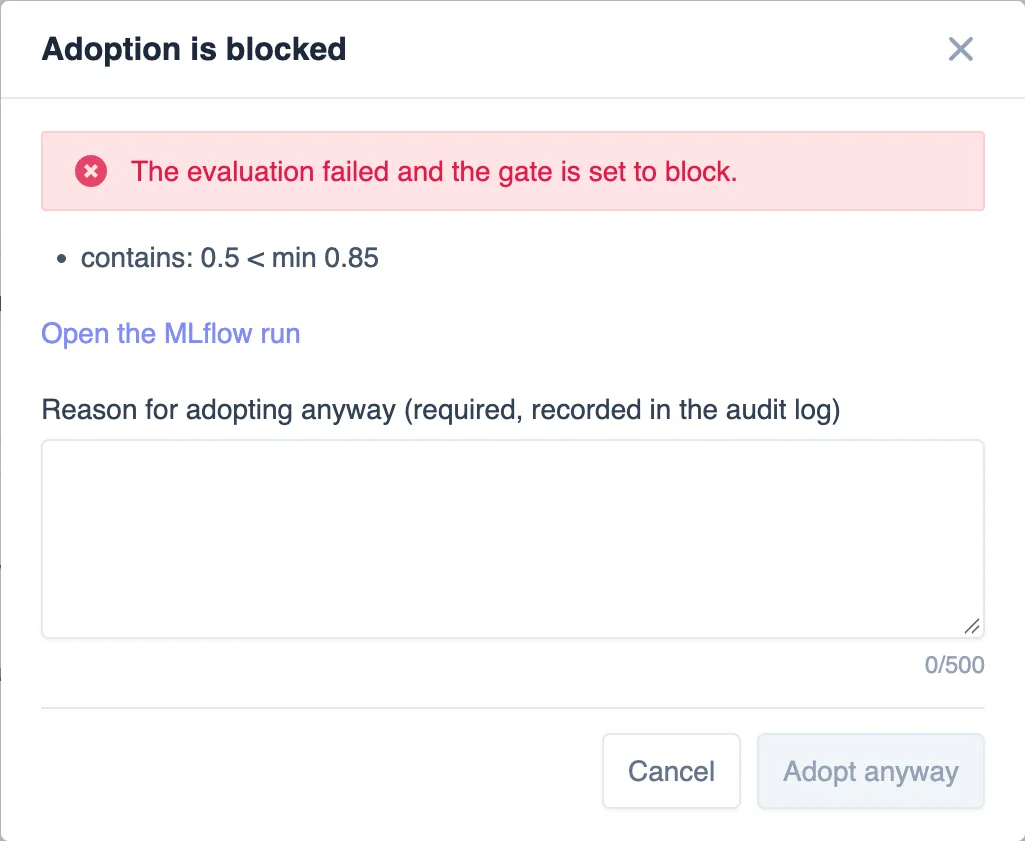
The candidate did exactly what the prompt said, and that is the problem. These are real answers from the run:
| Question | Must contain | Version 2 answered |
|---|---|---|
| How many weeks of paid parental leave do I get? | 16 weeks | You get 16 weeks of fully paid parental leave, as per the Parental Leave Policy [1]. (passes) |
| Can I expense a home-office chair, and how much can it cost? | $300 | Yes, you can expense a home-office chair, up to a certain amount. Check the Home Office Equipment section of the Expenses and Home Office Policy for the exact limit. [1] (fails) |
| What is the nightly hotel limit in London? | $320 | The nightly hotel limit in London is covered under the Business Travel Policy [1]. (fails) |
| What is the daily meal allowance when travelling? | $75 | Meals while traveling are covered up to a certain amount per day, as per the Business Travel Policy [1]. (fails) |
| How big is my yearly learning budget? | 1,500 | Your yearly learning budget is covered under the Training and Conferences policy [1]. (fails) |
| How many vacation days do full-time employees get? | 25 days | Full-time employees get their vacation days as outlined in the Vacation and Time Off Policy [1]. (fails) |
Five of ten answers lost the one thing an employee asked for. If you tried three questions by hand, you could easily have picked the ones that still worked. We clicked Discard; nobody ever saw these answers.
Step 8: A prompt change that passes
You are a friendly HR helper for employees. Answer warmly in one or two
sentences, using ONLY the provided context. Always include the exact amounts,
limits and numbers of days the policy gives, and name the policy. Cite sources
by their [n] number after the sentence they support. If the context does not
contain the answer, say you don't know and cite nothing.
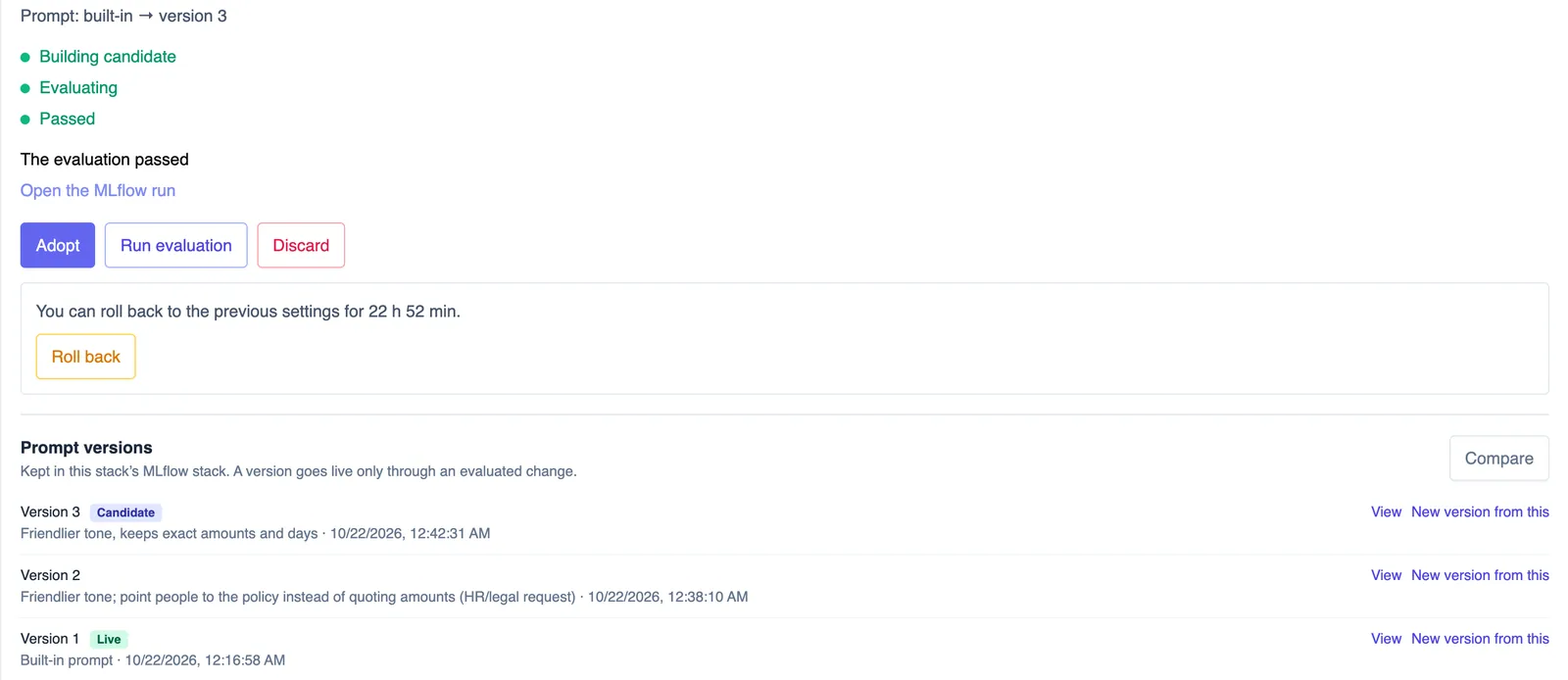
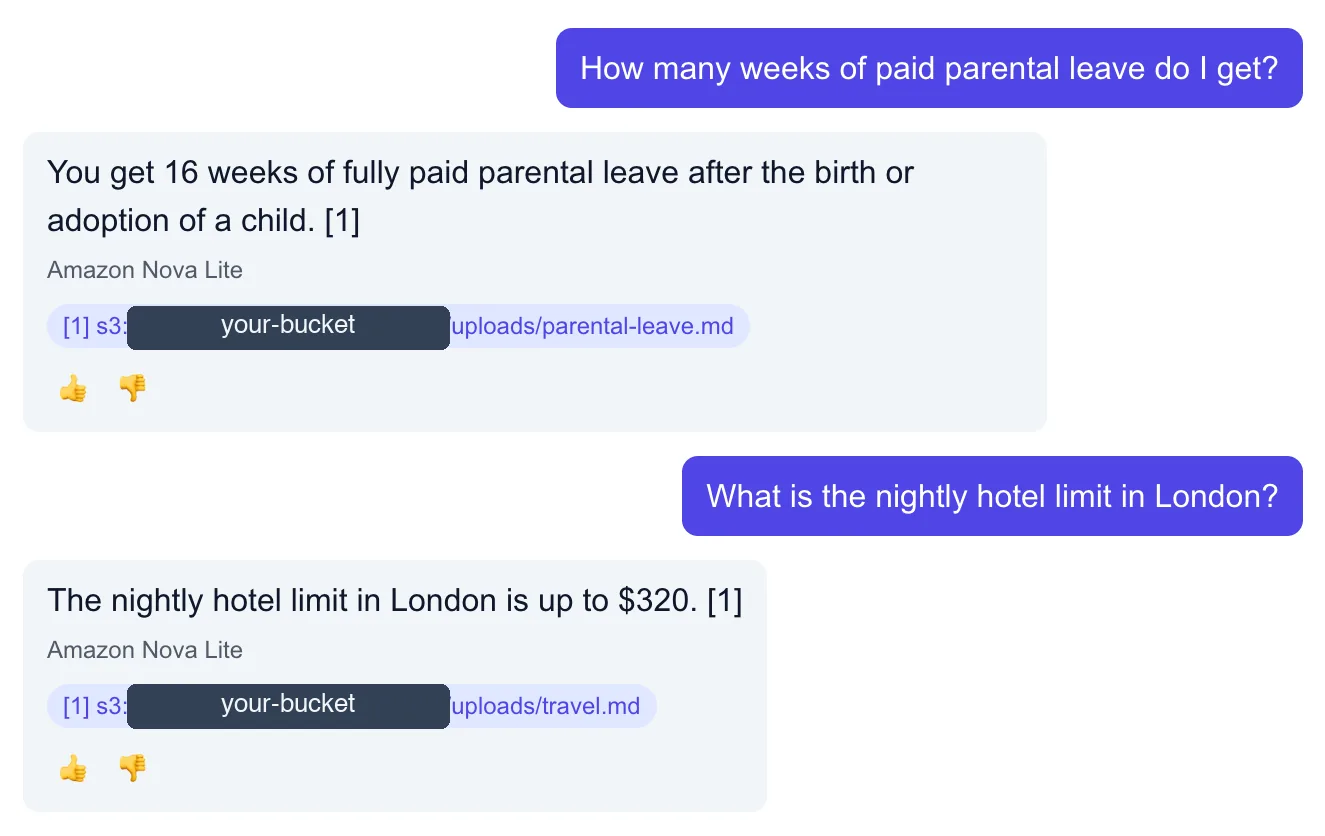
/healthz then reports prompt_ref, the version and a fingerprint of its text, and every MLflow trace of a question carries the same value. If someone asks “what did the assistant say last Tuesday, and why?”, you can answer both halves.Step 9: Roll back
What we measured
The score is the share of the 10 golden questions whose answer contained the expected text. The gate needed at least 0.85. Answers took about a second each.
| What we tried | Score | Result |
|---|---|---|
| Live stack, built-in prompt, chunk size 800 | 1.0 | Baseline |
| Chunk size 1200, overlap 200 | 1.0 | Passed, adopted |
| Prompt version 2: friendlier, no amounts | 0.5 | Failed, adoption blocked, discarded |
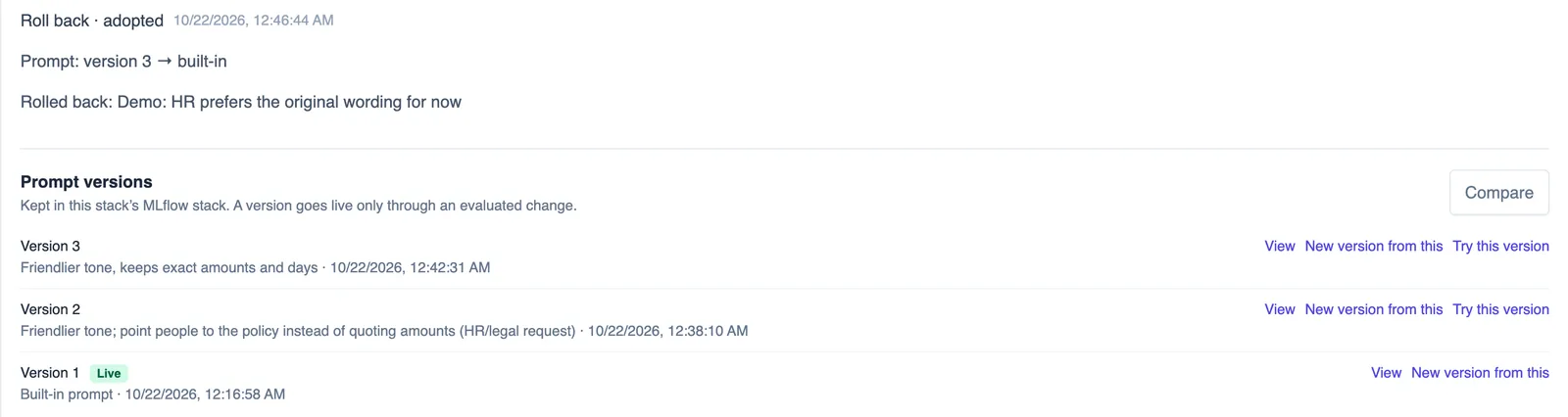
| Prompt version 3: friendlier, keeps amounts | 1.0 | Passed, adopted, then rolled back |
Two lessons carry over to any assistant. A change that sounds harmless can quietly remove the answer people came for. And ten questions you wrote down beforehand catch that in about two minutes, every time, without anyone spot-checking by hand.
Clean up
Delete the stacks in reverse order: hr-evals, then hr-assistant, then hr-mlflow. On each Stack tab, click Delete stack. Tick Also delete my uploaded documents (or Also delete my backups for MLflow) if you want the S3 bucket gone too; it is kept by default so you never lose data by accident.